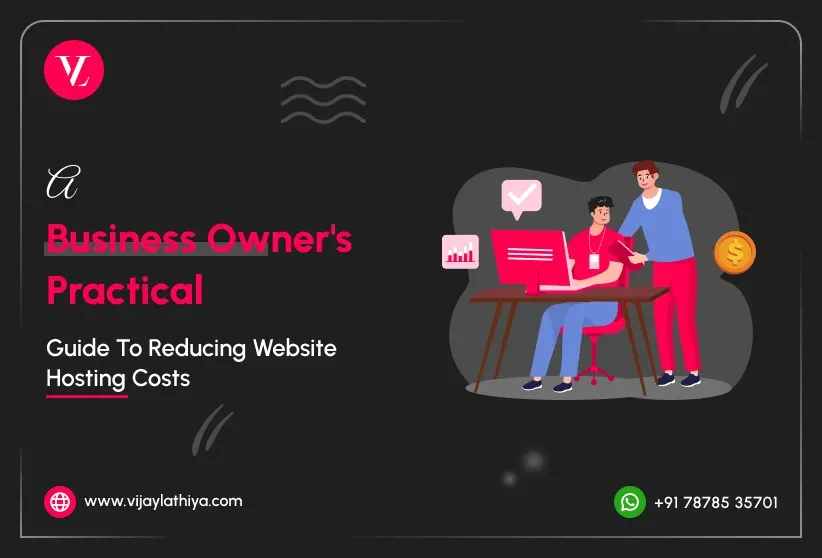
You do not need to be a technical expert to make smarter decisions about your website hosting. To reduce website hosting costs, you simply need the right information and guidance from someone experienced enough to help you make the right choices.
This guide will walk you through what to review, which questions to ask, and the practical steps you can take if your current hosting is costing more than necessary.
Also Read: How to Keep Your WordPress Website Secure
Tip 1: Review What You Are Actually Paying For
The first step is simple: find your current hosting invoice and read it carefully. Many business owners are surprised to discover they are paying for:
- Storage or bandwidth they never come close to using
- Add-ons or security features bundled in at extra cost
- Renewal rates significantly higher than the original sign-up price
- Multiple hosting accounts from different providers, some forgotten
Action: Log in to your hosting account and list every product you are paying for. If you do not recognise something, it is worth investigating before your next renewal.
Tip 2: Understand the Difference Between Cheap and Cost-Effective
Not all affordable hosting is good hosting, and not all expensive hosting is worth the price. If your goal is to reduce website hosting costs, what truly matters is value: reliable uptime, reasonable speed, proper WordPress support, and pricing that makes sense for the size and traffic of your website.
Cheap shared hosting might seem like a way to reduce website hosting costs in the short term, but it can lead to slow load times, security vulnerabilities, and poor support when something goes wrong.
Cost-effective hosting means paying the right amount for exactly what your website needs — no more, no less.
Action: Ask yourself — in the last 12 months, has your website been slow, gone down unexpectedly, or had security issues? If yes, your current hosting may already be costing you more than you realise.
Tip 3: Know When It Is Time to Migrate
There is no single rule for when to switch hosting providers, but these are clear signals worth taking seriously:
- Your renewal price has jumped significantly from your original rate
- Your website takes more than 3 seconds to load on a standard connection
- You experience downtime more than once or twice a year
- Your host does not offer proper WordPress-specific support
- You are on a shared server with hundreds of other websites and performance suffers
- You have outgrown your current plan but upgrading means a disproportionate price jump
Action: If two or more of the above apply to your website, it is worth getting a second opinion on your hosting setup.
Tip 4: Do Not Attempt a DIY Migration Without Experience
- Data loss or database corruption
- Extended downtime affecting your customers
- Broken links, missing images, or plugin errors
- SSL certificate issues causing browser security warnings
- Email disruption if your domain email runs through the same host
Tip 5: Ask the Right Questions Before Choosing a New Host
When evaluating a new hosting provider, do not just look at the headline price. Ask:
- What is the renewal price after the first term?
- What level of WordPress support is included?
- What are the uptime guarantees and how are they enforced?
- Is the server located in a region close to your primary audience?
- What backup frequency and restore options are available?
- Is there a staging environment for testing changes safely?
Action: A hosting provider that cannot clearly answer these questions is not worth the risk, regardless of how competitive the price looks.
Tip 6: Treat Hosting as an Ongoing Decision, Not a One-Time Setup
Your business evolves — and so should your hosting. A setup that worked three years ago may not be the right fit today. Building a habit of reviewing your hosting annually, alongside other business expenses, ensures you are never overpaying for something that no longer serves you.
Set a calendar reminder 60 days before your hosting renewal if you want to reduce website hosting costs effectively. This gives you enough time to review your options, compare providers, and migrate if necessary without feeling pressured to renew by default.
Ready to Review Your Hosting Setup?
If you have read through this guide and found yourself nodding at more than a couple of points, it is worth having a proper conversation about your current hosting — and whether a migration could save you money while improving your website’s performance.
Visit Vijaylathiya.com to get in touch. With 15+ years of WordPress experience, I handle the full migration process — so you get better hosting at a lower cost, without any of the technical stress.
Your website deserves a hosting setup that works as hard as you do.
Frequently Asked Questions (FAQs)
How can I reduce website hosting costs without hurting website performance?
Review what you use, remove unnecessary add-ons, compare renewal costs, and choose hosting based on value instead of the lowest price.
When should a business consider changing website hosting providers?
It may be time to switch if costs increase, your website becomes slow, downtime happens often, support declines, or your hosting no longer fits your website’s needs.
Is cheap shared hosting a good way to save money?
Not always. Low-cost hosting can create hidden costs through slower load times, reduced security, and limited support. Cost-effective hosting focuses on long-term value rather than the cheapest price.
Should I get expert advice before changing my website hosting?
If you are unsure whether your hosting setup is costing more than necessary, Vijay Lathiya offers a free consultation to help you review your options. Contact on WhatsApp: +91 78785 35701 or email: [email protected] and get expert guidance before making changes.