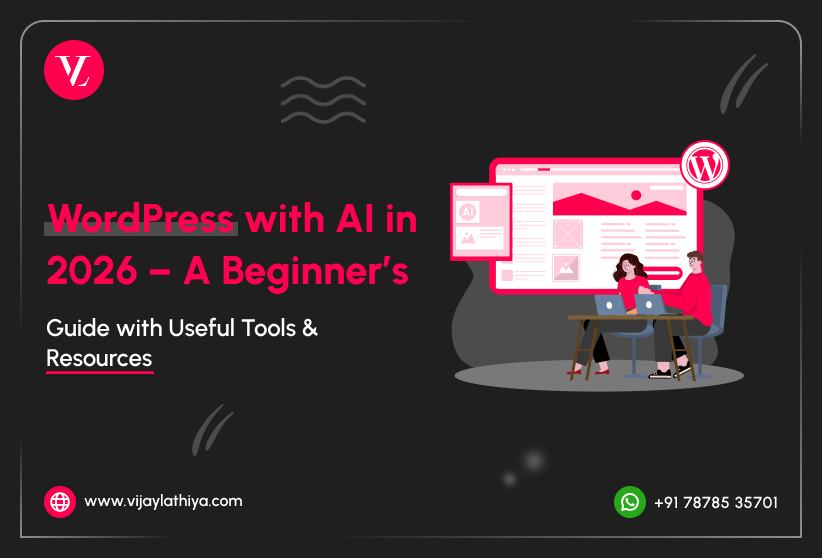
Introduction
In 2026, building a website is easier than ever with WordPress and AI tools. You no longer need coding skills or technical knowledge to create a professional website. With the help of AI, you can write content, design pages, improve SEO, and manage your website faster using WordPress AI Tools 2026. WordPress combined with AI helps beginners create blogs, business websites, and portfolios in a simple and smart way.
This blog will guide you step by step on how to use WordPress with AI tools. You will learn useful tools, beginner tips, and practical ideas to build your own website. Whether you want to start a blog, learn new skills, or create an online business, this guide will help you understand everything in a simple way.
What is AI in WordPress?
AI in WordPress means using artificial intelligence tools to make website creation easier and faster. It helps users create content, design pages, and improve website performance without advanced skills. Even beginners can build and manage a website with less effort using AI features.
- AI helps generate blog content, titles, and ideas quickly
- It improves SEO by suggesting keywords and optimization tips
- AI tools can design layouts and suggest website styles
- It helps automate tasks like chat support and form responses
- AI can analyze user behavior to improve user experience
Overall, AI in WordPress makes website building simple and more efficient. It allows users to focus more on ideas and less on technical work.
Why Use AI with WordPress in 2026?
Using AI with WordPress helps you build websites faster and more easily. It saves time, reduces effort, and improves overall website quality.
- Faster Website Creation AI tools can generate pages, content, and layouts in minutes. This helps beginners launch websites quickly without wasting time.
- Easy Content Writing AI helps you write blog posts, headings, and ideas easily. You do not need strong writing skills to create good content.
- Better SEO Optimization AI suggests keywords, meta descriptions, and improvements for ranking. This helps your website get more traffic from search engines.
- Improved Design and User Experience AI tools suggest designs, colors, and layouts that look professional. It also helps improve how users interact with your website.
Best AI Tools & Plugins for WordPress (2026)
AI tools and plugins make WordPress more powerful and beginner-friendly. They help you create content, design your website, improve SEO, and automate tasks easily. Using the right tools and WordPress development services can save time and improve your website quality.
1. AI Content Writing Tools
- ChatGPT for writing blogs, emails, and landing page content
- Jasper AI for marketing content and sales copy
- Copy.ai for quick content ideas and short text generation
- Writesonic for SEO-friendly blog posts and ads
- Rytr for simple and fast content writing
2. WordPress AI Plugins
- Rank Math AI for SEO suggestions and content scoring
- Elementor AI for website design and content creation
- AI Engine plugin for chatbot and AI content tools
- Bertha AI for writing directly inside WordPress
- WPForms AI for creating smart forms easily
3. AI Image Tools
- Midjourney for high-quality creative images
- DALL·E for generating images from text
- Canva AI for easy design and graphics
- Adobe Firefly for professional AI image editing
- Leonardo AI for detailed and unique visuals
4. AI Chatbots
- Tidio AI Chatbot for customer support automation
- WPBot for simple WordPress chatbot integration
- Chatbase for custom AI chatbot using your data
- Drift for marketing and sales conversations
- ManyChat for automated chat and messaging
5. AI Website Builders
- ZipWP for creating full websites using AI
- 10Web AI Builder for fast website generation
- Durable AI for instant business websites
- Framer AI for modern website design
- Wix AI builder for simple and quick setup
Practical Use Cases (Real Examples)
AI with WordPress is not just about tools, it helps you solve real problems and build useful websites. You can use AI to save time, improve quality, and automate daily tasks with WordPress AI Tools 2026. Here are some practical examples you can start with.
1. Blog Writing
Generate article ideas, outlines, headings, and full blog posts using AI tools.
It helps you write faster and maintain consistency in your content.
2. WooCommerce Optimization
Auto-generate product descriptions, titles, and tags for your products.
AI can also suggest related products and improve customer shopping experience.
3. SEO Improvements
AI helps with keyword suggestions, content readability, and SEO optimization.
It can also generate meta titles, descriptions, and improve search rankings.
4. Customer Support
AI chatbots can answer common questions and support users anytime.
This reduces manual work and improves customer satisfaction.
5. Website Design and Layout
AI can suggest layouts, colors, and design ideas for your website.
It helps beginners create professional-looking websites without design skills.
Want to grow your online store? Take top-rated WooCommerce development services to build a high converting and scalable website today.
Things to Know Before Using AI
Before using AI with WordPress, it is important to understand its limits and best practices. AI can make your work easier, but it should be used carefully and wisely. Keeping these points in mind will help you get better results.
1. AI is Not 100% Accurate
- AI can sometimes give incorrect or outdated information.
- Always review and edit the content before publishing.
- Do basic fact-checking for important topics.
- Do not rely fully on AI for critical information.
2. Avoid Duplicate Content
- Do not copy and paste AI content directly on your website.
- Search engines may not rank duplicate or repeated content.
- Always rewrite and add your own ideas.
- Make your content unique and valuable.
3. Focus on Human Touch
- AI content can feel robotic if not edited properly.
- Add personal experience or simple explanations.
- Write in a way that connects with your audience.
- Human-friendly content performs better on Google.
4. Performance Matters
- Using too many AI plugins can slow down your website.
- Only install tools that are really needed.
- Keep your website clean and optimized.
- A fast website improves user experience and SEO.
5. Keep Learning and Updating
- AI tools change very fast with new updates.
- Stay updated with new features and tools.
- Learn how to use AI more effectively over time.
- This helps you stay ahead and improve your website.
6. Do Not Over Depend on AI
- AI is a tool to help you, not replace your thinking.
- Always use your own ideas and creativity.
- Combine AI with your knowledge for better results.
- Balance automation with manual effort for quality.
SEO Tips for AI-Based WordPress Content
- Use Focus Keywords Naturally Include keywords like “WordPress AI tools 2026” in a natural way.
Avoid keyword stuffing and keep the content easy to read. - Keep Headings Structured Use proper headings like H1, H2, and H3 for better structure.
This helps both users and search engines understand your content. - Write Short and Clear Paragraphs Keep paragraphs short to improve readability.
Simple content helps users stay longer on your website. - Add Internal and External Links Link to your own pages and trusted external websites.
This improves SEO and gives more value to readers. - Optimize Images with Alt Text Always add alt text with relevant keywords to images.
This helps in image SEO and improves accessibility.
Useful Resources & Reference Links
Here are some helpful resources to learn and improve your skills in WordPress and AI. These websites will guide you in content writing, SEO, design, and website building using WordPress AI Tools 2026.
1. Learn AI Content Writing
2. WordPress AI Plugins
3. SEO Learning
4. AI Image & Design Tools
5. Website Builders & Hosting
Future of WordPress with AI
In 2026 and beyond, AI will play a bigger role in how websites are created and managed. WordPress will become more automated, smart, and user-friendly. Even beginners will be able to build advanced websites with less effort.
- Fully AI-generated websites from simple prompts
- Smart personalization based on user behavior and interests
- Voice search and conversational website interfaces
- Automated website updates, backups, and maintenance
- Better security with AI-based threat detection and protection
Conclusion
WordPress with AI in 2026 has made website creation simple, fast, and accessible for everyone. You no longer need advanced technical skills to build a professional website. With the help of WordPress AI Tools 2026, you can create content, design pages, improve SEO, and manage your site more efficiently.
The key is to use AI wisely while adding your own ideas and creativity. Start small, keep learning, and focus on solving real problems. With the right approach, you can build a valuable website and grow your skills step by step.
Frequently Asked Questions (FAQs)
Which AI tool should I start with as a beginner?
Start with simple tools like ChatGPT for content and Elementor AI for design. They are easy to use and beginner-friendly.
Will AI replace the need for learning WordPress?
No, AI helps you work faster but basic WordPress knowledge is still important. Learning both together gives better results.
Do you use AI tools while building WordPress websites?
Yes, AI tools are used to create content, design layouts, and improve SEO. This helps build faster and better quality websites.
Will I be able to manage the website easily after it’s built?
Yes, websites are built in a simple and user-friendly way so you can manage them without technical knowledge.
How can I contact Vijay Lathiya for WordPress development services?
You can contact by filling the contact form or directly message on WhatsApp at +91 78785 35701. We give a free 15 min consultation to understand your project and guide you properly.