WordPress Website Migration

Move, Clone, or Test Your Site Without Risk
Full website cloning, staging environment setup, and host-to-host or platform-to-platform migration — for WordPress and Shopify. Zero downtime, zero lost data, zero SEO damage.
Sites migrated or cloned
0 +
Sites with extended downtime
0
SEO rankings preserved on migrations
0 %
Years handling live migrations
0 +

Whatever the Reason, I've Done It Before

Cloning, staging, and migration each solve a different problem — here’s how clients typically use this service.
Dev & Staging Clones
A safe, identical copy of your live site to test updates, new features, or design changes without any risk to your real visitors or customers.
Host-to-Host Migration
Moving your existing WordPress or Shopify site to a new hosting provider — for better performance, pricing, or support — without losing a single page.
Platform-to-Platform Migration
Switching entirely between platforms — WooCommerce to Shopify, Shopify to WordPress, Wix/Squarespace to either — with content, SEO, and structure intact.
Multi-Environment Setup
Dev, staging, and production environments set up properly for agencies or teams who need a real deployment workflow, not just one live site.

Works Across Every Major Platform

I handle migrations both within and between platforms — including the trickiest cross-platform moves.

WordPress

Including WooCommerce

Shopify

Theme, apps & data

Wix / Squarespace

Migrating out to WP or Shopify

Any Hosting / Server

cPanel, VPS, cloud hosts
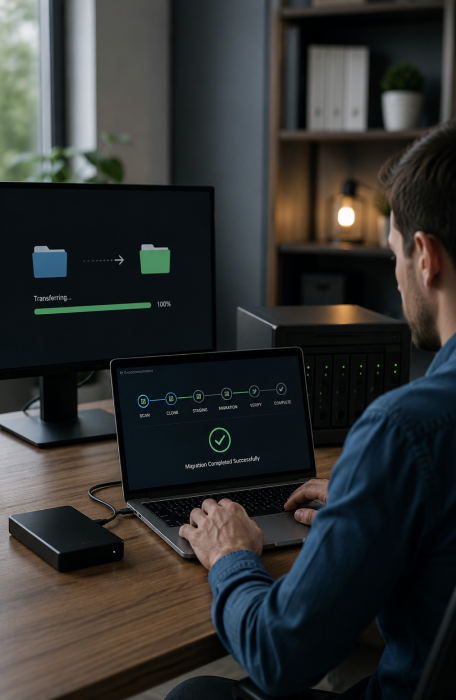
The Full Move, Start to Finish

Every clone, staging setup, or migration covers the same standard of completeness — nothing partial, nothing left for you to fix afterward.

Full Site Cloning

Exact copies of files, database, theme settings, and configurations — for staging, testing, or backup purposes, fully functional and isolated.

Database & Content Migration

Posts, pages, products, customers, orders, media files, and metadata transferred completely and verified against the original source.

URL & Redirect Mapping

301 redirects configured for every changed URL so existing backlinks, bookmarks, and search rankings carry over without broken links.

SEO Preservation

Meta titles, descriptions, schema markup, sitemaps, and Search Console reconfiguration handled so rankings aren't disrupted by the move.

DNS & SSL Cutover

Domain and DNS changes, SSL certificate setup, and email routing handled carefully to avoid downtime or "not secure" warnings during cutover.

App & Plugin Re-integration

Third-party apps, plugins, and integrations (payment gateways, email tools, analytics) reconnected and tested on the new environment.

Pre & Post-Migration QA

Every page, form, and feature tested before and after the move — broken links, missing images, and functionality gaps caught before launch.

Rollback Safety Net

The original site is kept fully intact and untouched until the migration is verified successful — a safe rollback path always exists.

What Goes Wrong With DIY Migrations

Most migration disasters aren’t visible until weeks later — broken SEO, lost orders, or silent data gaps. This is what a proper migration prevents.
No "soft 404s" from missing redirect mapping after the move
No lost customer accounts, order history, or saved carts
No SEO ranking collapse from missing canonical or meta tags
No downtime visible to customers during the actual cutover
No broken payment gateways or shipping rules post-migration
No email deliverability issues from a botched DNS change
No mismatched media files, broken images, or missing attachments
No surprises — a full QA checklist is signed off before go-live

Why Trust This With Someone Else

A migration is the one project where “it mostly worked” isn’t good enough. Here’s what makes the difference.

Original site never touched

Your live site stays untouched and fully functional throughout the entire process — there's no "point of no return" until you approve it.

Cutover during low-traffic hours

The final DNS/domain switch is scheduled during your lowest-traffic window to minimize any visible impact to real visitors.

SEO-first approach

Redirect mapping and SEO preservation aren't an afterthought — they're planned before a single file is moved, not patched up after.

Documented QA process

A full checklist of pages, forms, and features is tested and signed off — not a quick glance to see if the homepage loads.

True cross-platform expertise

Moving between completely different platforms (e.g. WooCommerce to Shopify) requires real data mapping experience, not just a plugin export.

Available during cutover

I'm present and actively monitoring during the actual go-live moment — not handing you a guide and disappearing.

A Safe, Verified Process Every Time

The same disciplined process whether it’s a simple staging clone or a full cross-platform migration.

01

Discovery & scope

Understanding exactly what’s moving — content volume, integrations, platform differences, and any deadlines or constraints involved.

02

Full backup of source site

A complete backup of the original site is taken and verified before any cloning or migration work begins — the safety net that’s never skipped.

03

Clone or migrate to staging

The site is built out on a staging environment or destination platform, fully isolated from your live, production site.

04

Redirect mapping & SEO setup

301 redirects, meta tags, and schema are configured to match the new structure, with old URLs mapped one-to-one wherever possible.

05

Full QA on staging

Every page, form, integration, and checkout flow tested on staging before anything is made public or pointed to by DNS.

06

Go-live & monitoring

DNS cutover or final launch happens during a scheduled low-traffic window, with active monitoring for the hours immediately following.

Fixed-Price Packages by Scope

Priced based on site size and complexity, not by the hour — quoted clearly after a quick look at your current site.

Staging Clone Setup

From $89
Dev/test environment only

Host-to-Host Migration

From $299
Same platform, new host

Platform-to-Platform Migration

From $799
e.g. WooCommerce ↔ Shopify

Zero data-loss commitment

Your original site is never deleted or altered until you’ve fully verified the new environment. If anything is missing, I fix it — that’s part of the project, not a separate charge.

What Client Say?

I have worked with LathiyaSolutions on several projects. All work was completed quickly and professionally. There are very few specialists who have such extensive skills and professionalism as Vijay Lathiya.

review-sec-img-1
Jan Harmening Client

The team at Lathiya delivered a top-notch website. Their attention to detail, professionalism, and commitment to quality are unparalleled. They were responsive to my needs and made the entire process seamless.

review-sec-img-2
Godwin Amefia Client

Absolutely amazing service! I can't believe the guy solved my issue over the phone within minutes, that I had been struggling with since the past two days! This kind of service is literally rare, I am so happy to have found them!

review-sec-img-3
Srijana Saha Client

If you need an expert then you have to contact them! They took my website and transformed in just few days! I highly recommend them to anyone out there! My website rocks now! Thank you Lathiya Solutions!!!

review-sec-img-4
Alessandro Iorio Client

Great experience working with Lathiya Solutions. Very professional team with strong WordPress expertise and quick support. Highly recommended!

review-sec-img-5
Jimmy Paul Client

Hire Migration Specialist Developer – FAQs

Will my site go down during the migration?
No. All work happens on a separate staging environment or destination platform first, fully isolated from your live site. The only point of potential brief disruption is the final DNS cutover, which is scheduled during your lowest-traffic window and typically takes minutes, not hours.
Properly executed migrations preserve rankings in the vast majority of cases. This requires correct 301 redirect mapping, preserved meta tags and schema, and resubmission of updated sitemaps to Search Console — all of which are standard parts of the process, not optional add-ons.
Yes. Cross-platform migrations require manually mapping data structures since platforms organize products, customers, and content differently. This is more involved than a same-platform move, which is reflected in the Platform-to-Platform package pricing.
A clone creates a copy of your site for testing or development purposes while your original site continues running unchanged. A migration moves your site permanently to a new host or platform, eventually replacing the original. Many migrations start with a clone to staging as the first step.
Your original site and a full backup are kept intact until you’ve confirmed everything works correctly on the new environment. If anything is found to be missing or broken post-launch, it’s fixed as part of the project at no extra charge — that’s the zero data-loss commitment.
A staging clone can be ready within 1-2 days. Host-to-host migrations typically take 3-7 days depending on site size. Platform-to-platform migrations usually take 2-4 weeks due to the data mapping and theme rebuild involved.

Ready to Move Without the Risk?

Tell me what you’re trying to do — clone, host change, or full platform switch — and I’ll map out exactly what’s involved and what it’ll cost.

Let’s Work Together!

Address

416, Angle Square, Uttran VIP Circle, Surat, Gujarat 394105

Scroll to Top